Texts from your coach's practice, through Atlas
What gets sent, who gets it, how clients opt in, and how to stop.
What gets sent
Atlas is a coaching client portal made by Kookaburra Collective LLC. Coaches use it to work with their own clients: intake and check-in forms, coaching agreements, payments, and tasks. A coach's practice can use Atlas to text its own clients service notifications about their coaching:
- new tasks from their coach, with a link to their dashboard
- their pre-session check-in link, and a reminder before it closes
- onboarding steps: their link to get started, and a reminder to finish
- a notice when a coaching payment didn't go through
Every text starts with the name of the client's coaching practice, the sender. No marketing or promotional texts are sent.
Sample texts
From Ignite Life Coaching, Kookaburra Collective's own one-on-one coaching practice (its full program terms are at ignitelife.coach/text-messages):
Welcome (sent when a client opts in)
Ignite Life Coaching: Hi Sam, you're signed up for texts about your coaching with Scotty: new tasks, check-in links and reminders. Msg frequency varies. Msg & data rates may apply. Reply HELP for help, STOP to opt out.
New tasks
Ignite Life Coaching: Hi Sam, Scotty added new tasks to your Dashboard: https://ignitecoaching.app/client Reply STOP to opt out.
Pre-session check-in
Ignite Life Coaching: Hi Sam, Scotty sent your check-in for Tuesday's session: https://ignitecoaching.app/checkin/3f9c2a7e Reply STOP to opt out.
Onboarding link
Ignite Life Coaching: Hi Sam, it's Scotty. Here's your link to get started: https://ignitecoaching.app/welcome/8c1e5b2d Reply STOP to opt out.
Failed payment
Ignite Life Coaching: Hi Sam, it's Scotty. Your last payment didn't go through. You can update it here: https://invoice.stripe.com/i/acct_1Abc/live_YWNjdA Reply STOP to opt out.
Who gets them
Only a practice's own clients who opt in themselves, in the client portal, get texts. Coaches can add a client's number, but texts start only after the client ticks the opt-in box. Texts never go to purchased or third-party lists, or to anyone who hasn't opted in.
How clients opt in
Clients opt in in the client portal, in two places, with the same unchecked box. It names their coach's practice:
Yes, text me coaching updates from Ignite Life Coaching: new tasks, check-in links and session reminders. Message frequency varies. Msg & data rates may apply. Reply HELP for help, STOP to opt out. Terms · Privacy
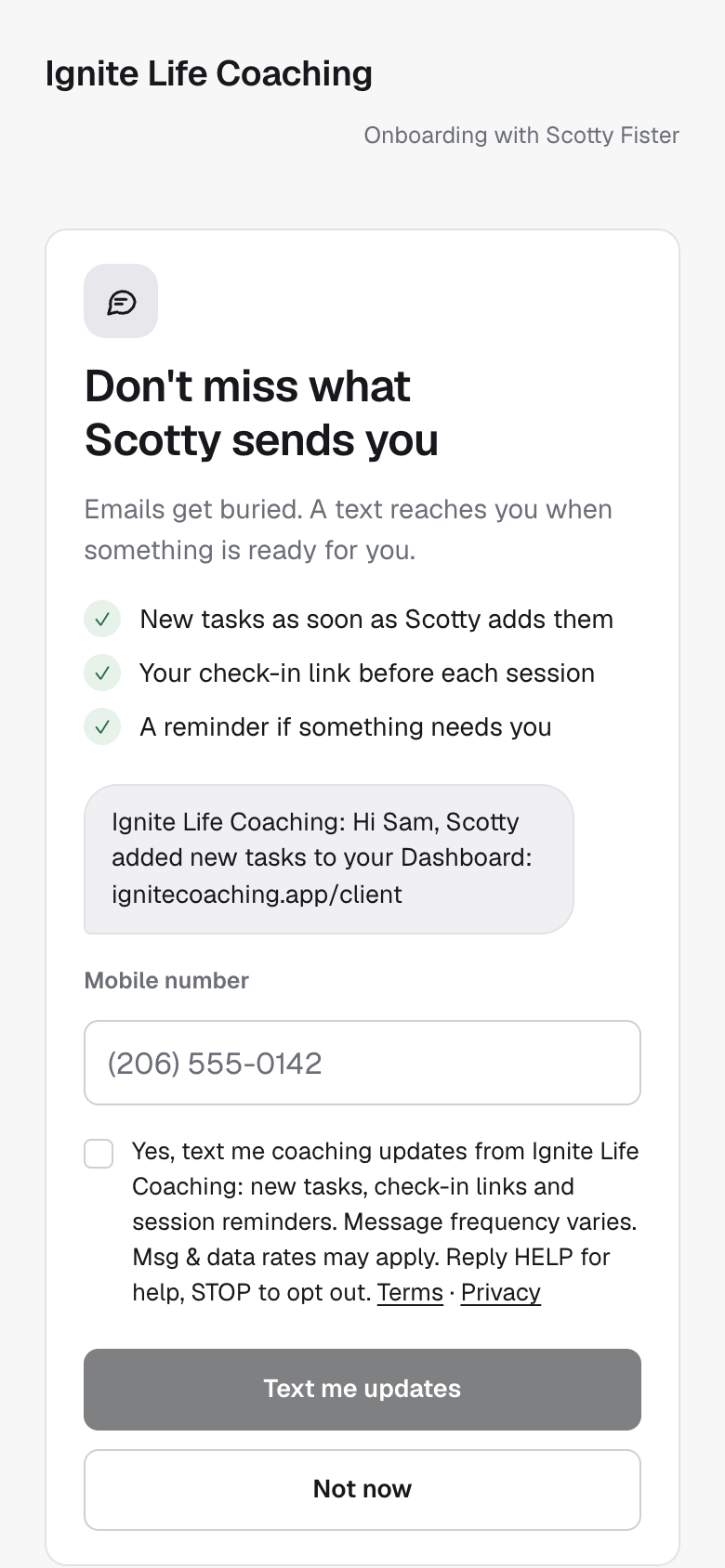
1. During onboarding, before payment, in the client portal (ignitecoaching.app/welcome/…), clients see an optional "Get texts" screen. The consent box starts unchecked, and "Not now" skips it and goes on to payment. 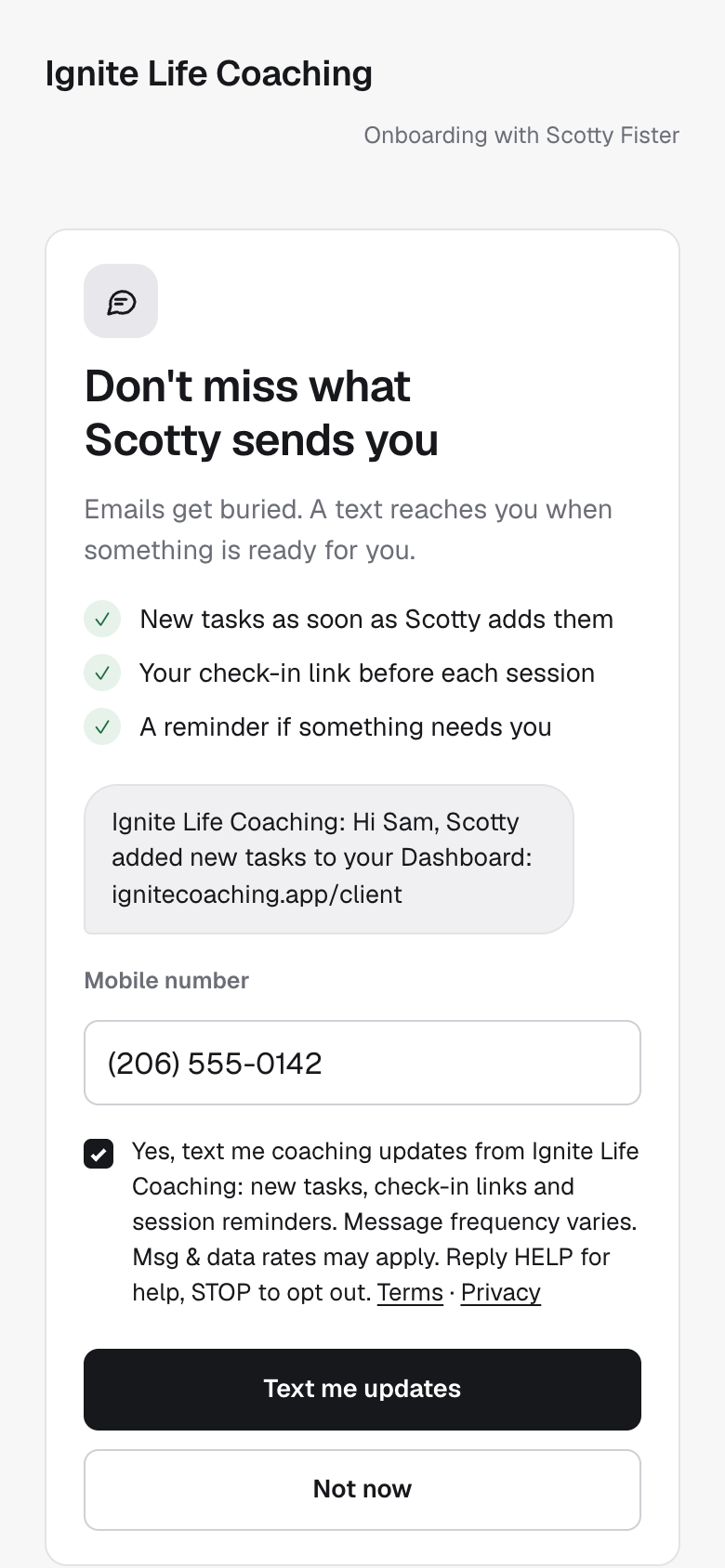
2. The client enters their mobile number and ticks the box themselves. "Text me updates" stays disabled until they do. 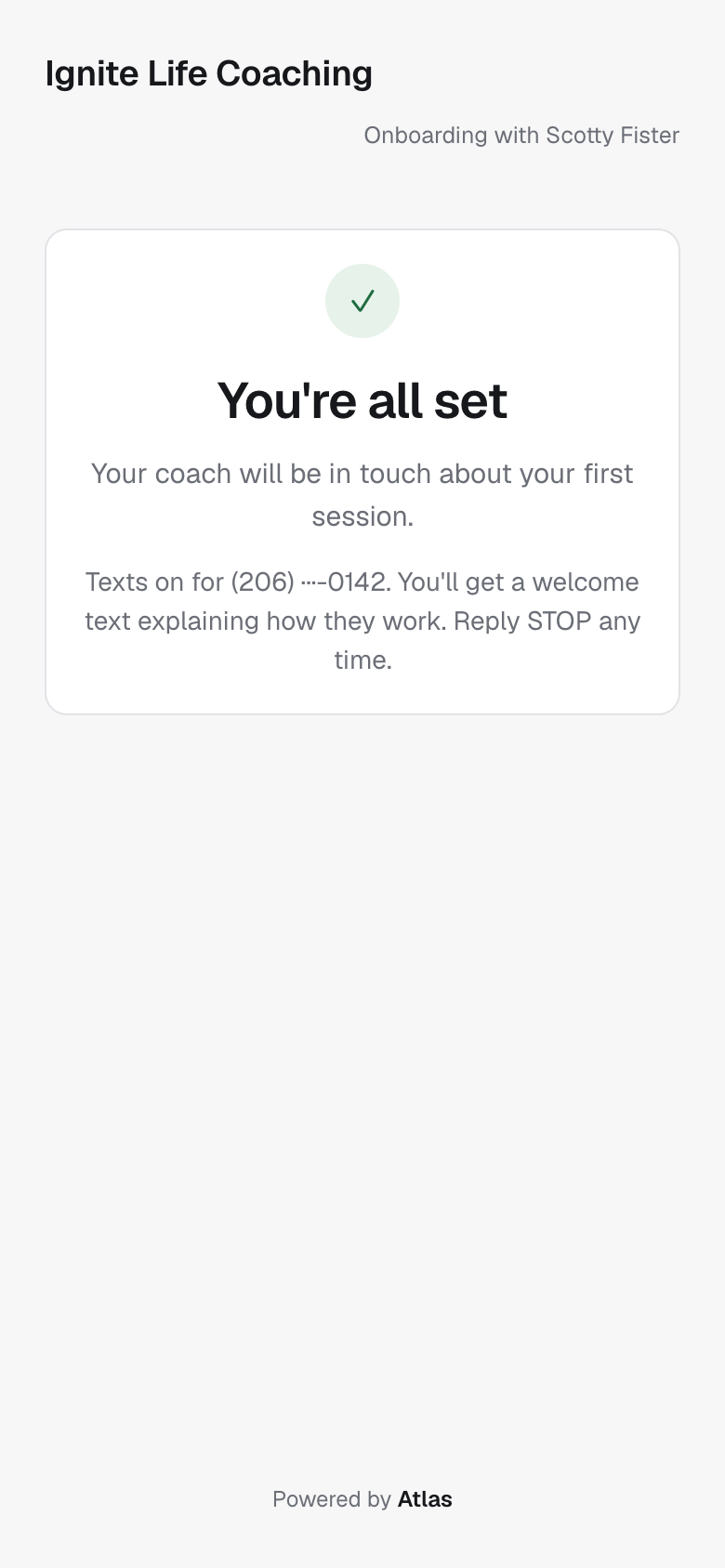
3. After payment, the "You're all set" screen confirms texts are on, that a welcome text explains how they work, and that they can reply STOP any time. After "Not now", the same screen shows without this line and no texts are sent. Ignite Life Coaching: Hi Sam, you're signed up for texts about your coaching with Scotty: new tasks, check-in links and reminders. Msg frequency varies. Msg & data rates may apply. Reply HELP for help, STOP to opt out.
4. The first text each client receives, sent the moment they opt in. 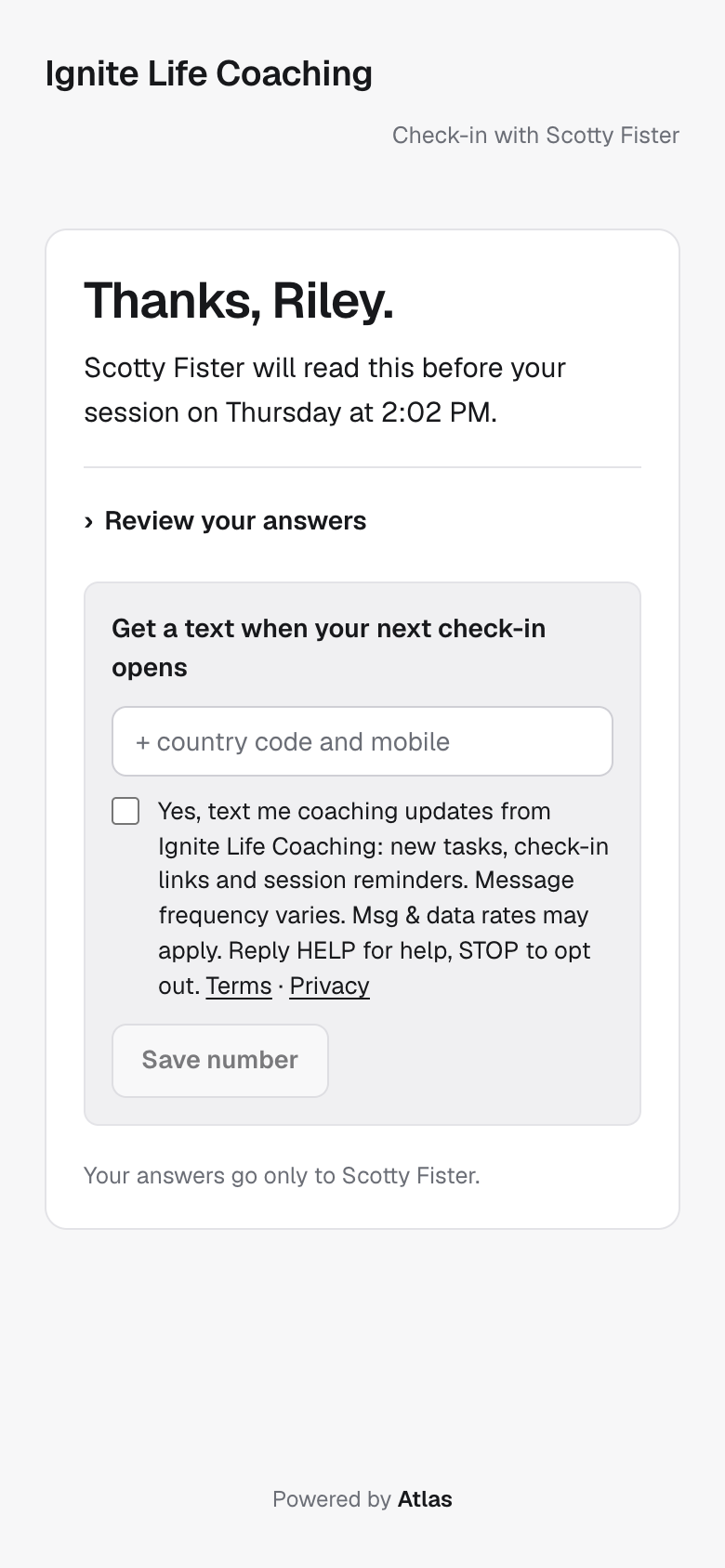
5. The same unchecked box, wording and links appear after a client finishes a pre-session check-in (ignitecoaching.app/checkin/…), if they haven't opted in yet.
Try the opt-in step
This is the real onboarding step, shown as a preview: nothing you enter here is saved or sent.
Don't miss what Scotty sends you
Emails get buried. A text reaches you when something is ready for you.
- New tasks as soon as Scotty adds them
- Your check-in link before each session
- A reminder if something needs you
Ignite Life Coaching: Hi Sam, Scotty added new tasks to your Dashboard: ignitecoaching.app/client
Frequency, rates and how to stop
- Message frequency varies with your coaching, typically a few messages per week and never more than 10 in a day.
- Message and data rates may apply.
- Reply STOP to any text to stop. You'll get one message confirming you've opted out. Reply START to opt back in.
- Reply HELP for help: the reply names your coach's practice and how to reach them. You can also email Atlas at support@ignitecoaching.app.
- Carriers are not liable for delayed or undelivered messages.
Texts are optional and never a condition of being coached or of using the client portal: clients who choose "Not now", or never opt in, get the same updates by email.
Your number
Mobile numbers and opt-in data are never sold, rented or shared with third parties or affiliates for marketing or promotional purposes. See the Text Messages sections of Atlas's Terms of Service and Privacy Policy.